BigAnt Messenger Overview
Client users can chat via text,voice,host a conference,send files or folders to users,or send a password protected message. BigAnt Client is easy of use and with rich custom features,such as Quick Reply.
Features
-
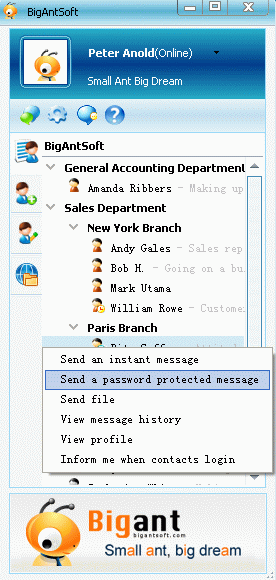
Send a password protected message
You can send a password protected message to a specified contact in order to protect sensitive information. The contact will instantly receive a notification of the new password protected message.The contact will be required to input his login password to view the message.
-
Send file/folder to online/offline user
It becomes a true, to send offline message, files, or even an entire folder. The sent message,files or folders will be temporary stored on BigAnt Server.They will be delivered to the user on next login.
-
Group Message
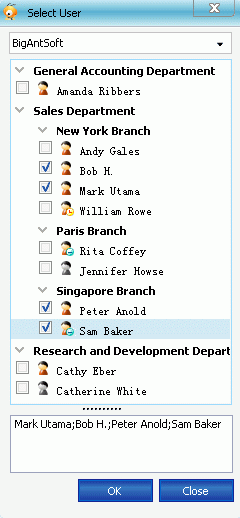
Send a group message to specified user. You can easily add or remove existing contacts to create a new group and send message or documents to the group.
-
Group Customization
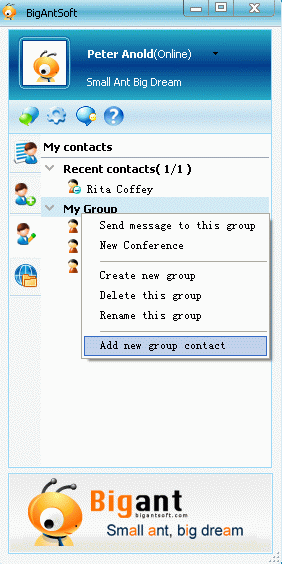
Add or remove new group contact if you need.
-
Quick Send
Send your file/folder using the selection's right-click context menu,this is BigAnt's unique feature

-
Screen Capture
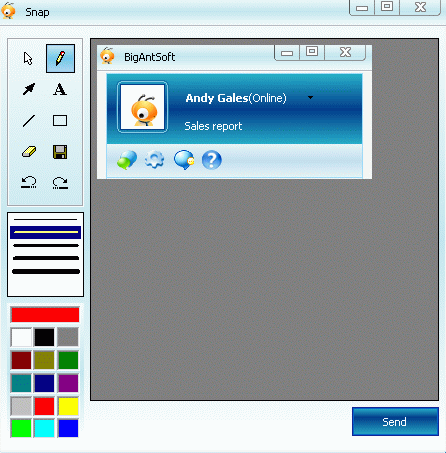
You can capture a screenshot of a specified window or any area of your desktop,and if you like,you can add some callout or highlight on the captured screenshot then send to your contact.